Seize Apps · iOS
Mueca
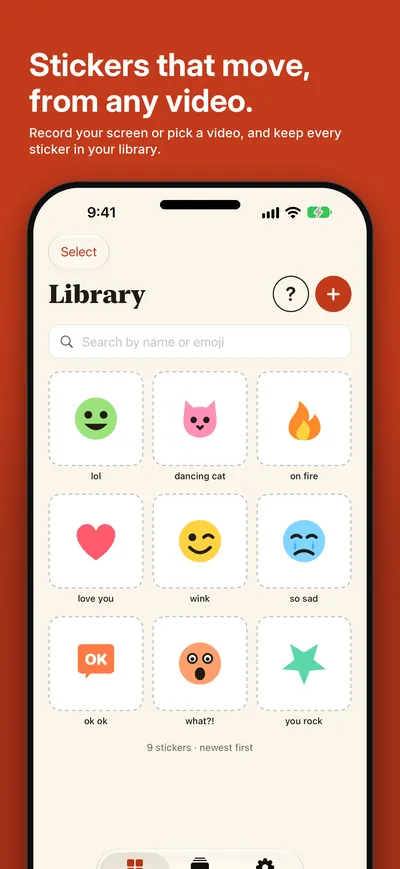
Mueca turns a few seconds of any video into a sticker that moves. Record your screen or pick a video in Photos, drag the frame to what you want, choose the loop, and the background goes, right on your iPhone. Every sticker stays in a library of your own, with a name and emojis, ready to gather in packs for WhatsApp, to send from Messages or to share as a GIF.
What it does
One job, done well.
- 01 / FRAME
From a video to a sticker
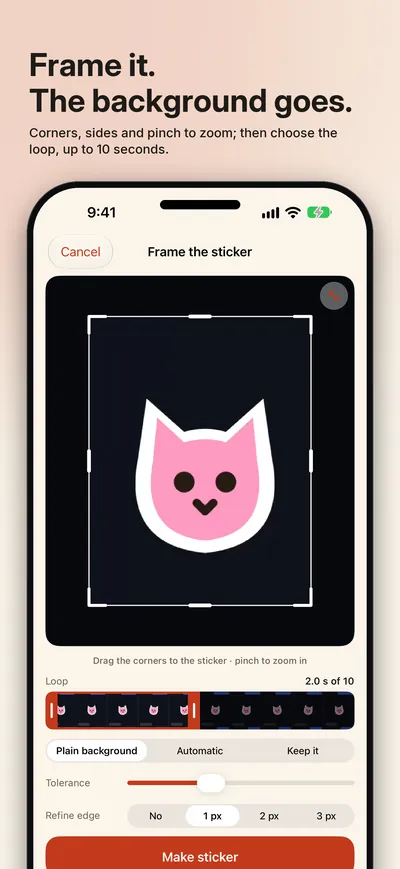
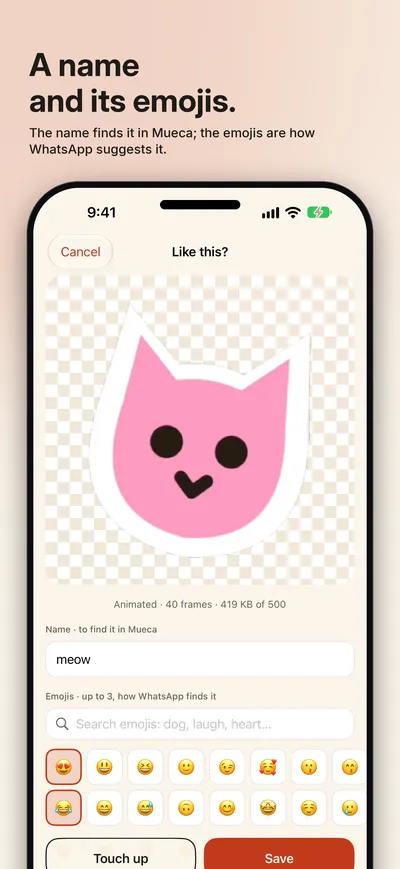
Drag the corners and sides to the sticker, pinch to fine-tune and choose the loop, up to 10 seconds. The background goes: plain, as in a chat, or automatic over any background, and the edge can be refined if a halo is left. Give it a name to find it in Mueca and up to three emojis, which is how WhatsApp suggests it.
- 02 / KEEP
A library that grows
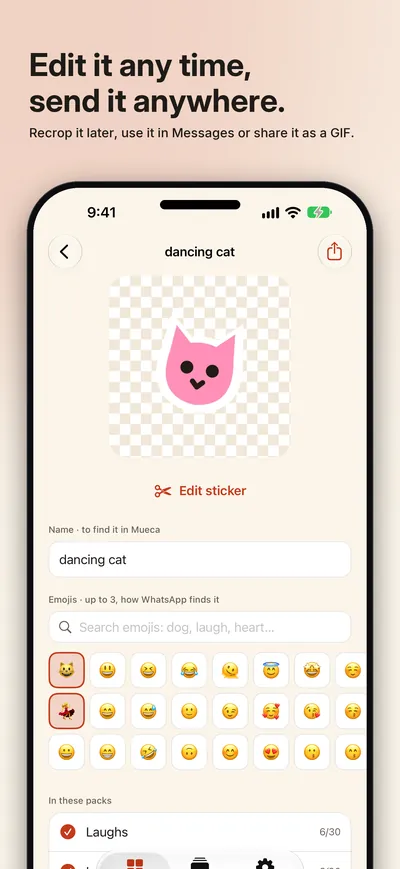
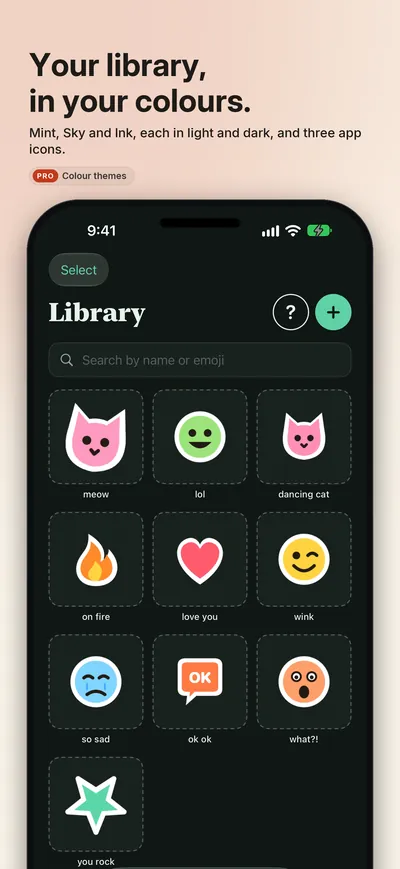
All your stickers in one place, with search by name or emoji, and you can edit any of them later: crop it again, remove the background, refine the edge. Backed up in your own iCloud, the same on all your devices.
- 03 / SEND
Packs, in your chats
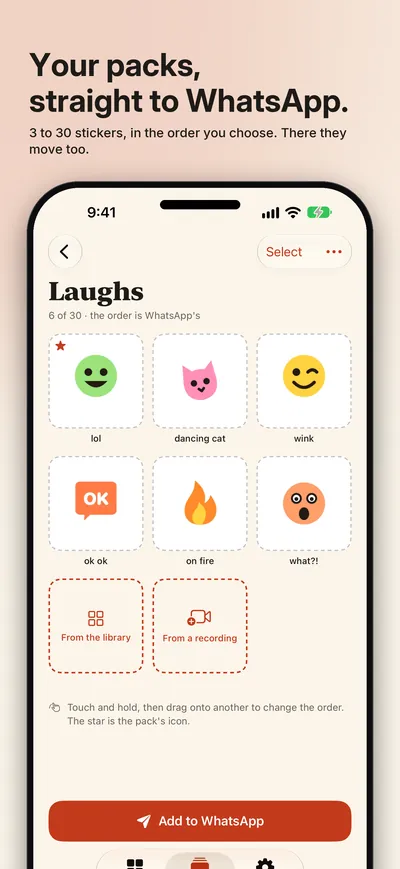
Gather 3 to 30 stickers in a pack, put them in order, choose its icon and add it to WhatsApp with one tap. In Messages, Mueca is in the app drawer; and any sticker goes out as an animated GIF to the app you choose. Free up to 10 stickers and 1 pack; Mueca Pro removes the limits and adds colour themes and app icons: a one-time purchase, with a free 30-day trial.
Privacy
Yours, not ours.
Mueca has no account and no ads. It only sees the video you pick, cuts the sticker out on your iPhone and does not keep the video. Your stickers and packs stay on your device and in your own iCloud. Anonymous usage statistics of our own, never a video, a sticker, a name or an emoji, which you can turn off in Settings. Make stickers from what is yours: what others made is theirs.
A Seize Apps app.